Home/Software/Gamers Translate

Available

Gamers Translate logoGamers Translate

Gamers Translate listens to the speech in your game or voice chat, turns it into text and shows it translated into your language as subtitles while you play. You only pay for the seconds someone is actually speaking.

Windows may show “Windows protected your PC” because our installer is not code-signed yet. Click More info, then Run anyway.

Version2.0.3
Download273 MB
PlatformsWindows
Gamers Translate

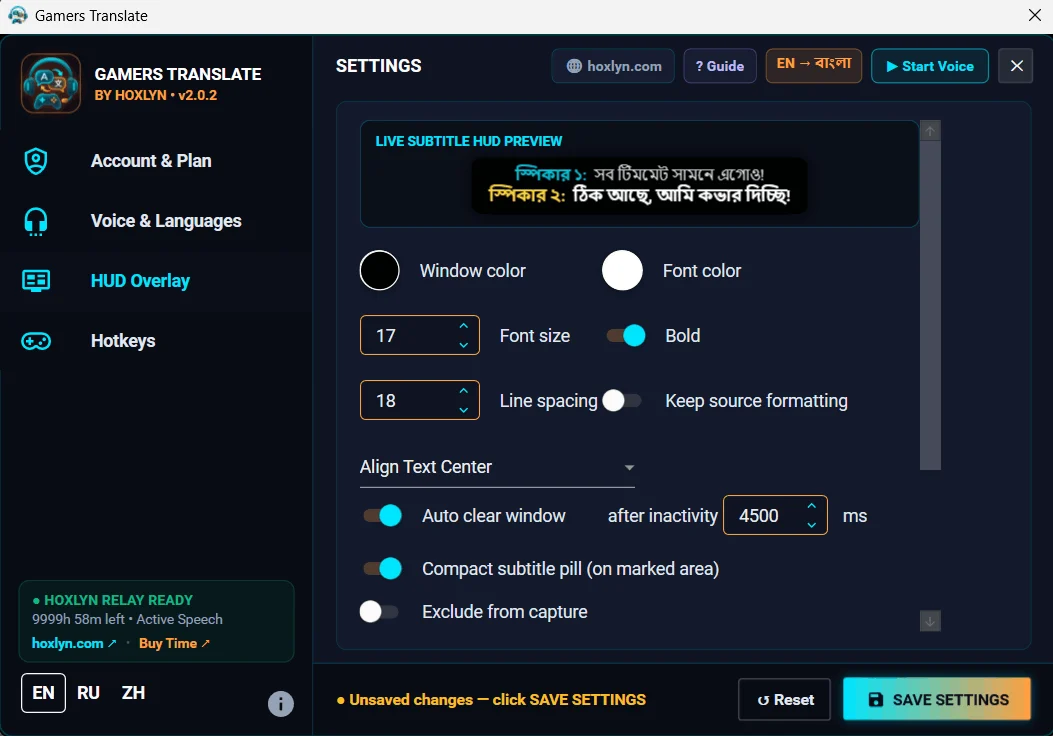
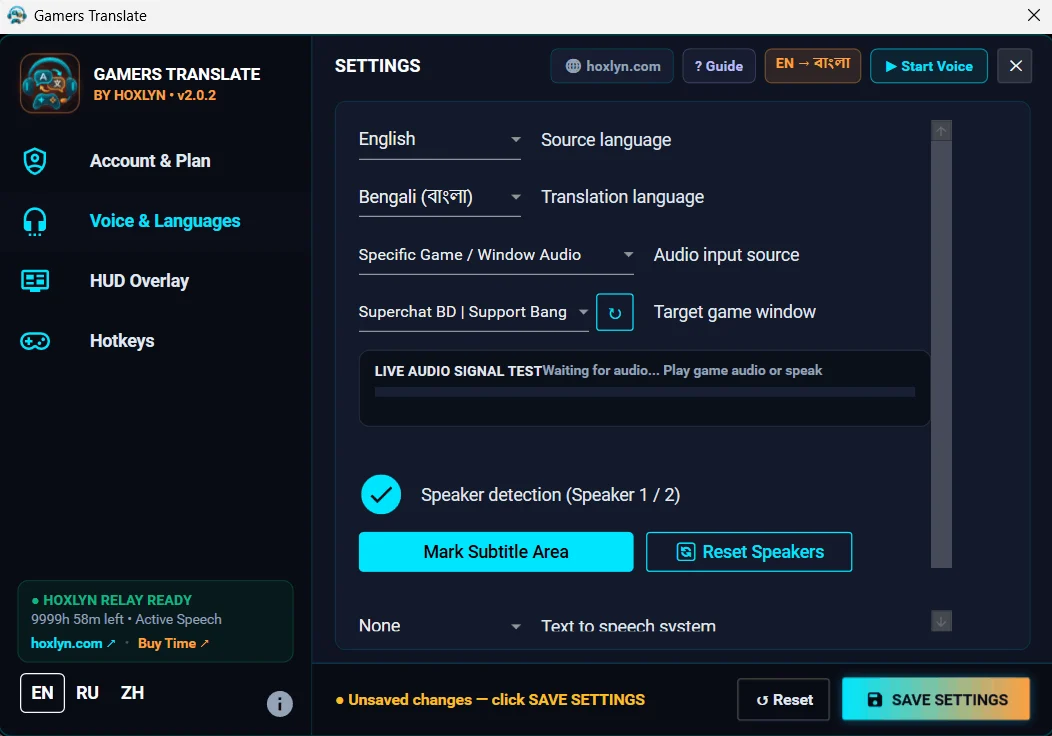
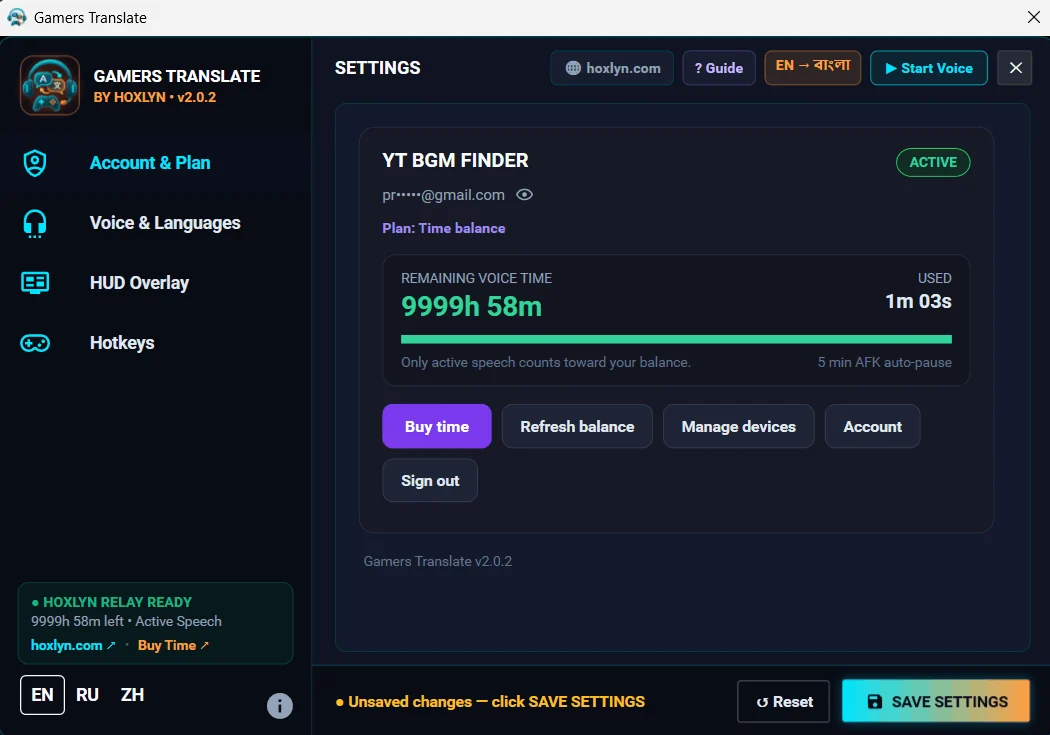
01 Screenshots

Look inside.

Gamers TranslateGamers TranslateGamers Translate

02 Releases

What’s new.

2.0.3 · Windows · 17 November 2026

- Strict voice filter: a neural voice detector (Silero VAD) now runs inside the app, so only human voices are sent for translation. Music, footsteps, gunfire and effects are dropped on your PC, which saves your translation time. You can turn it on or off in Settings (on by default). - No more stray lines: sudden English lines, untranslated original text and AI replies like "Could you please provide…" no longer appear in your subtitles. - Cleaner subtitle HUD: the corner resize grip is gone; a small handle appears only when you move the mouse over it. The toolbar buttons are bigger, and there is a new big red LOCK button. When the HUD is locked, it shows which key unlocks it (Ctrl+T by default). - Bring the HUD back: if you close the HUD with ✕, open Settings → HUD Overlay → "Restore Subtitle HUD". If the HUD has moved off screen, it comes back to the bottom centre.

2.0.2 · Windows · 17 November 2026

Gamers Translate now adds a shortcut to your desktop and Start menu, so you can always find it again after closing it.

03 Getting started

Up and running in minutes.

01

Download

Download Gamers Translate for Windows and open it. It is one file; nothing else needs to be installed.

02

Connect your account

Click Connect. Your browser opens, you sign in with Google and press Allow. The app is then linked to your Hoxlyn account.

03

Choose your language

Pick the language you want the subtitles in, and the language people speak (or leave it on auto).

04

Play

Start your game. When someone speaks, the translation appears as a subtitle on your screen.

Pricing

Prices for Gamers Translate.

Full pricing page

Free Trial

Free

10 minutes of active voice translation (~20–25 min real gameplay)

Try anytime (no credit card required)

Best forTesting live in-game subtitles before buying a pack.

  • 10 minutes of real-time AI voice-to-subtitle translation
  • Low-latency cloud AI: Whisper speech recognition with AI translation
  • Smart silence & sound-effect skipping (only spoken dialogue uses time)
  • Floating transparent HUD subtitle overlay on top of games
  • Supports 40+ languages (English, Japanese, Chinese, Korean, Russian, Bangla, Hindi & more)
  • 1 Windows PC (up to 3 device switches per 30 days)
Download free

Starting

$4.99one-time

For Gamers Translate only

3 hours (180 minutes)

~6–8 hours real gameplay

Never expires

Best forCasual sessions, short indie games, or a first top-up.

  • 3 hours (180 minutes) of active speech translation
  • Silence, loading screens, music & gunfire never burn your balance
  • Capture full system audio or lock onto a single game window (with live audio signal meter)
  • Context-aware dialogue translation tailored for gaming terms and slang
  • Interactive 8-step setup guide & customizable global hotkeys
  • Customizable HUD styling (font size, opacity, shadow & screen bounds)
  • 1 Windows PC (up to 3 device switches per 30 days)
Buy Starting

Pro Monthly

Best Value
$37.99one-time · 30 days

For Gamers Translate only

36 hours (2,160 minutes)

~75–100 hours real gameplay

Valid for 30 days from purchase · not renewed automatically

Best forDaily gamers, heavy RPG/MMO players & streamers.

  • 36 hours (2,160 minutes) of active speech translation per month (~$1.06/hr)
  • Everything in Gamer
  • Lowest cost per hour for long daily gaming sessions
  • Silence & idle pauses consume zero balance
  • Automatic fallback to a second speech engine if the first is busy
  • 1 Windows PC (up to 3 device switches per 30 days)
Buy Pro Monthly

04 Requirements

What you need.

Windows
Windows 10 or 11, 64-bit
Install
No installer needed: just run the exe. Everything it needs is inside.
Internet
Required: speech is translated online
Account
Hoxlyn account (Google sign-in)
Computers
One computer at a time; change it from your dashboard

05 Questions

Good to know.

Is there a free trial?

Yes. Your account gets 10 free minutes the first time you connect the app.

What is counted as use?

Only the seconds in which someone is speaking. Silence, music and game sounds are not counted.

Can I use it on two computers?

One at a time. To move to a new computer, remove the old one under Account → Devices.

Can I get a refund?

No. All sales are final, so please try the free minutes first and buy only if it works for you.